Before you start
- An existing lead with the correct company/contact identity.
- A configured Account Type and permission to create commerce accounts.
- Check whether the lead already has the intended account before creating another.
Open in your admin application
Use your installation’s admin address with one of these routes. Replace {id} with the actual record identifier.
/lead?LeadID={id}/account-insert?LeadID={id}/account?AccountID={id}/accountsCreate and link the billing account
Start on the lead
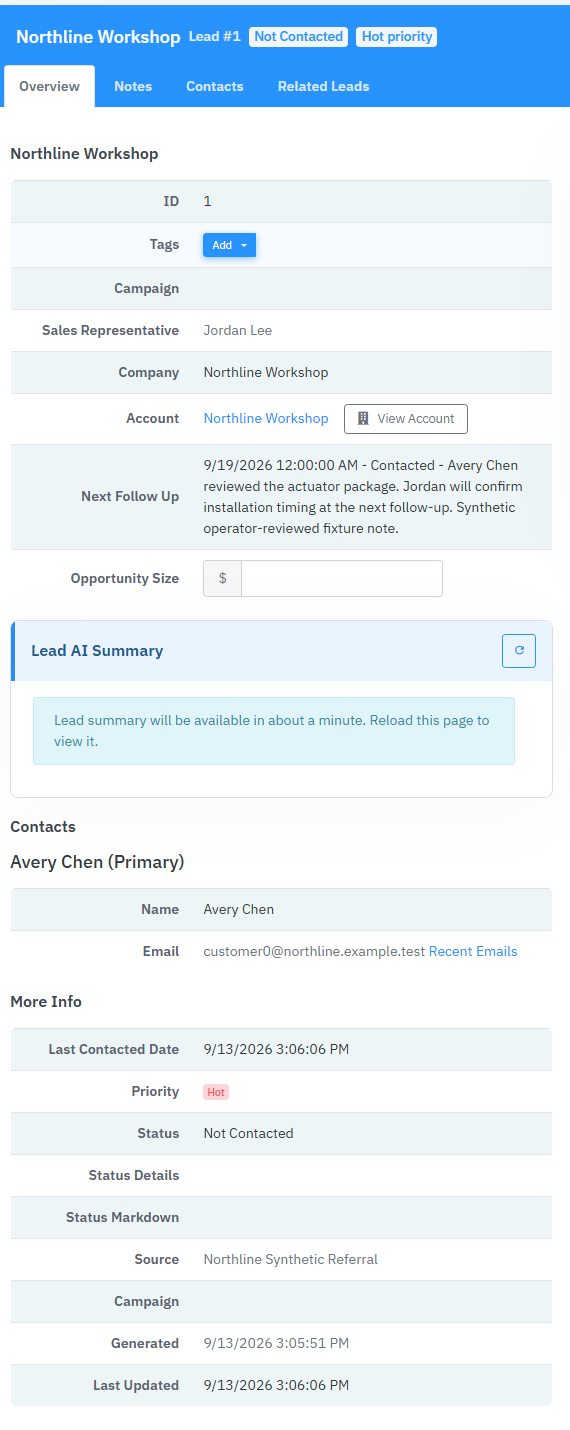
Open the customer lead and choose Create Account. Opening the account insert page without LeadID produces a Start from a Lead message; it is not a standalone account-creation workflow.
Confirm the context
Check the Creating an Account for banner, including the lead number. Use Back to Lead if this is not the right customer.
Enter the billing identity
Set Account Name. The form initially uses the company name; supply the correct account name if it is blank or different. Select Account Type from the configured list. Both are required.
Create the account
Choose Create Account once. The server creates the account, enables it and links it to the lead. Success redirects to the account detail using AccountID.
Verify both sides
Open the account and check its identity. Return to the lead and confirm its account association. Use this account when creating a quote. Payment profiles are created later through the payment/customer-profile workflow, not by typing gateway identifiers into this form.
Link an existing account instead
When the billing entity already exists, the lead edit form exposes an Account selector. An authorized operator can select the existing account there and save, then verify the association. Creating a new account is not required for every inquiry or secondary contact.
Product proof
These Phase 1 frames are capture specifications, not application screenshots or runtime evidence.
Fields & records
| Field / record | Meaning or use |
|---|---|
| Account Name | Required billing-entity name, maximum 255 characters in the form. |
| Account Type | Required configured classification. |
| AccountID | Server-issued identifier used by quotes and payment context. |
| Payment profiles | Initialized later by the configured gateway operations; not manual creation fields. |
Verify the result
- Account detail opens with the expected AccountID.
- The lead points to that account.
- The enabled account appears in quote account search.
Troubleshooting
| What you see | What to check or do |
|---|---|
| Start from a Lead message | Return to the lead and use Create Account so LeadID is supplied. |
| Account Name / Account Type is required | Complete both controls before retrying. |
| Account not available for quoting | Check enabled state and the lead link; quote lookups omit disabled accounts. |
Version & scope
Procedure checked against current Feeding Frenzy forms and services. Source verification is not a claim that a live payment, message, customer transaction or full operator run occurred.
Public guides describe shared controls, records and configuration boundaries using fictional data. Tenant URLs, credentials, customer records, provider identifiers and installation-only procedures belong in customer-controlled documentation and are excluded from public pages and search.
- Version
- 2.0.0
- Change source
- Current Feeding Frenzy forms/services plus reconciled Wiki topics
- Feedback key
guide:account-setup
Feedback records only the page, guide ID and yes/no choice. It never records documentation search text.
Implementation references (3)
FeedingFrenzy.Admin/wwwroot/kScripts/Accounts/Account.Insert.ks.htmlFeedingFrenzy.Admin/wwwroot/kScripts/Leads/Lead.Edit.ks.htmlFeedingFrenzy.Admin.UI/QuotesAdmin.cs