Before you start
- A recorded call associated with the correct lead and access to that record.
- Configured transcription/analysis services and a completed or available transcript.
- The customer’s actual commitments, which must be checked against the conversation before acting on them.
Open in your admin application
Use your installation’s admin address with one of these routes. Replace {id} with the actual record identifier.
/calls/call?CallID={id}/lead?LeadID={id}Review the conversation
Open the correct call
Find it in
/callsor follow the call activity from the lead. Check call identity, participants and status before reviewing the transcript.Wait for complete content when necessary
The call detail refreshes while a streamed call is incomplete. Missing text during processing does not mean the customer said nothing. Check the call status and whether transcription is still arriving.
Compare summary with the conversation
Review Call Summary, Important Points and Full Transcription where the call/lead-note presentation exposes them. Play the audio when a date, amount, name or commitment needs confirmation.
Review extracted context
Analysis can capture contacts, decision-maker/gatekeeper interaction, objections, appointment details, alternate phone numbers and office hours. Unknown values are not confirmed facts. Correct the operational record through the normal contact/note workflow after review.
Make the outcome actionable
Return to the lead
Open the associated LeadID. Confirm that the person and organization match the call; do not add the result to a similarly named customer.
Record the verified outcome
In Notes summarize the decision, agreed terms and next action. Add or correct secondary contacts through Contacts rather than leaving new contact information only inside a transcript.
Schedule and save
Set Follow Up Date for the agreed action and choose Save Note. If an appointment was discussed, verify its actual date/time and use the configured appointment workflow; an AI-extracted appointment phrase alone is not proof of a booked meeting.
Reprocess only for a reason
Where Re-Transcribe or evaluation/classification actions are exposed, use them for a specific missing/incorrect processing result. Reprocessing can run services again; first inspect the existing recording and result.
Product proof
These Phase 1 frames are capture specifications, not application screenshots or runtime evidence.
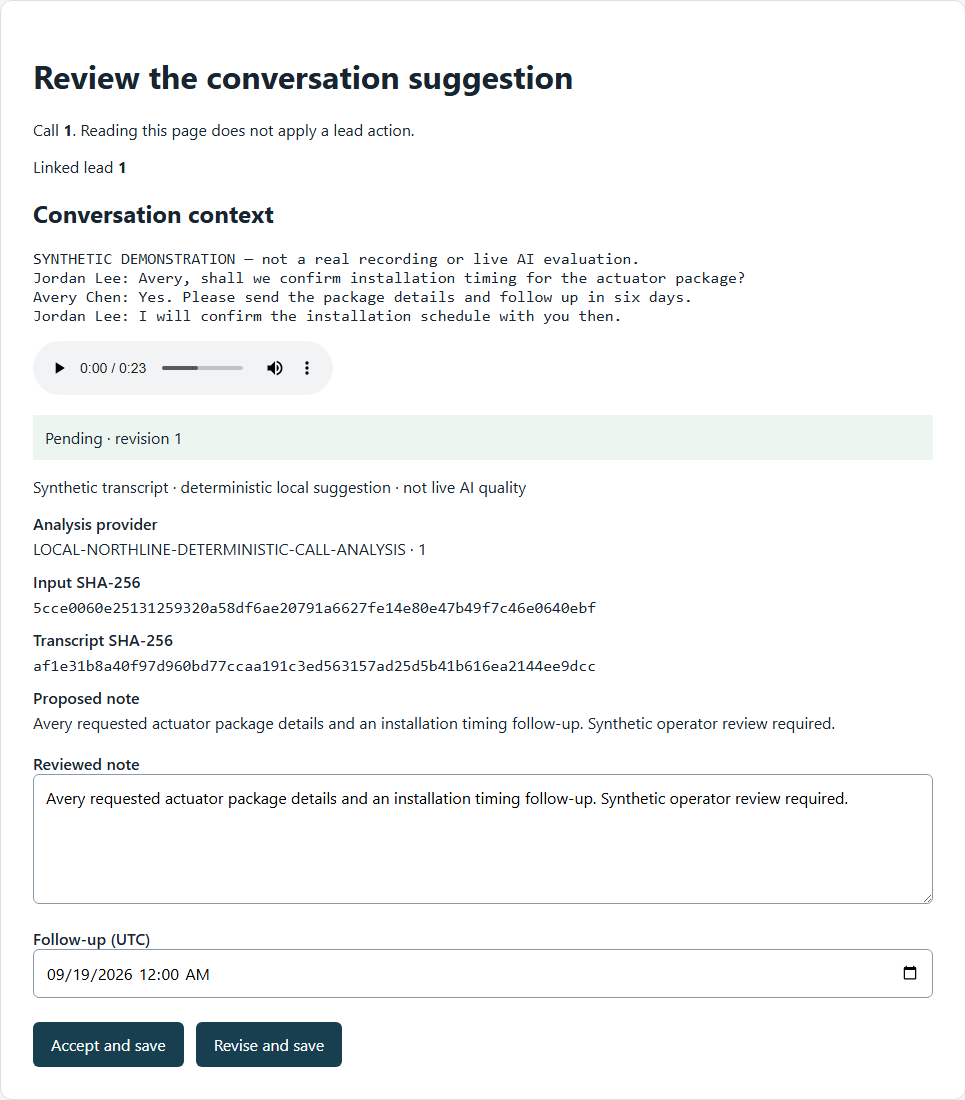
Fields & records
| Field / record | Meaning or use |
|---|---|
| CallID | Recorded interaction identity, distinct from the lead note. |
| Transcription | Input to analysis; incomplete or empty transcripts cannot support a complete review. |
| ExtractedData | Structured analysis stored with the call; presentation can also appear in lead activity. |
| Follow Up Date | Saved next-action date on a note; not merely a phrase inside a summary. |
Verify the result
- The reviewed call and updated note belong to the same customer.
- Important dates, amounts and contact details match the conversation.
- The next action is saved as a dated follow-up when needed.
Troubleshooting
| What you see | What to check or do |
|---|---|
| No analysis | Check transcript availability; the analyzer returns without processing empty transcription. |
| Same analysis reused | Existing summary data is reused unless a forced refresh is requested. |
| Appointment mentioned but not scheduled | Use the actual appointment/follow-up workflow and verify its saved result. |
Version & scope
Procedure checked against current Feeding Frenzy forms and services. Source verification is not a claim that a live payment, message, customer transaction or full operator run occurred.
Public guides describe shared controls, records and configuration boundaries using fictional data. Tenant URLs, credentials, customer records, provider identifiers and installation-only procedures belong in customer-controlled documentation and are excluded from public pages and search.
- Version
- 2.0.0
- Change source
- Current Feeding Frenzy forms/services plus reconciled Wiki topics
- Feedback key
guide:call-context
Feedback records only the page, guide ID and yes/no choice. It never records documentation search text.
Implementation references (3)
FeedingFrenzy.Admin/wwwroot/kScripts/Calls/Call.Details.ks.htmlFeedingFrenzy.Admin/wwwroot/kScripts/LeadNotes/LeadNotesAdmin.ks.htmlFeedingFrenzy.Admin.Business/LeadCallAnalyzer.cs